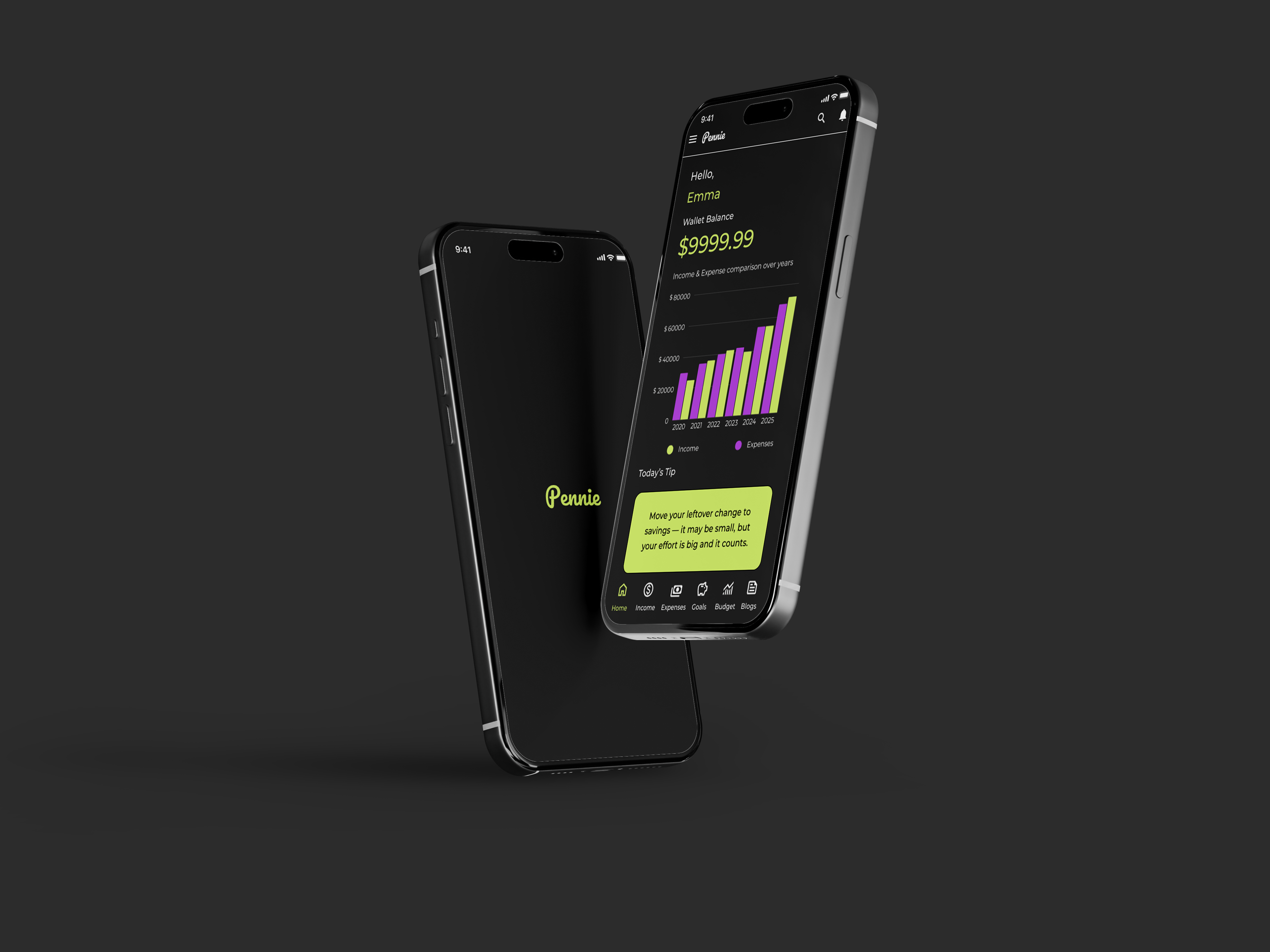
People with unpredictable incomes feel overwhelmed managing money. Balancing essentials, savings, and goals is challenging, and most budgeting apps are too complex or rigid. This leads to frustration, guilt, and inconsistent habits.
Solution
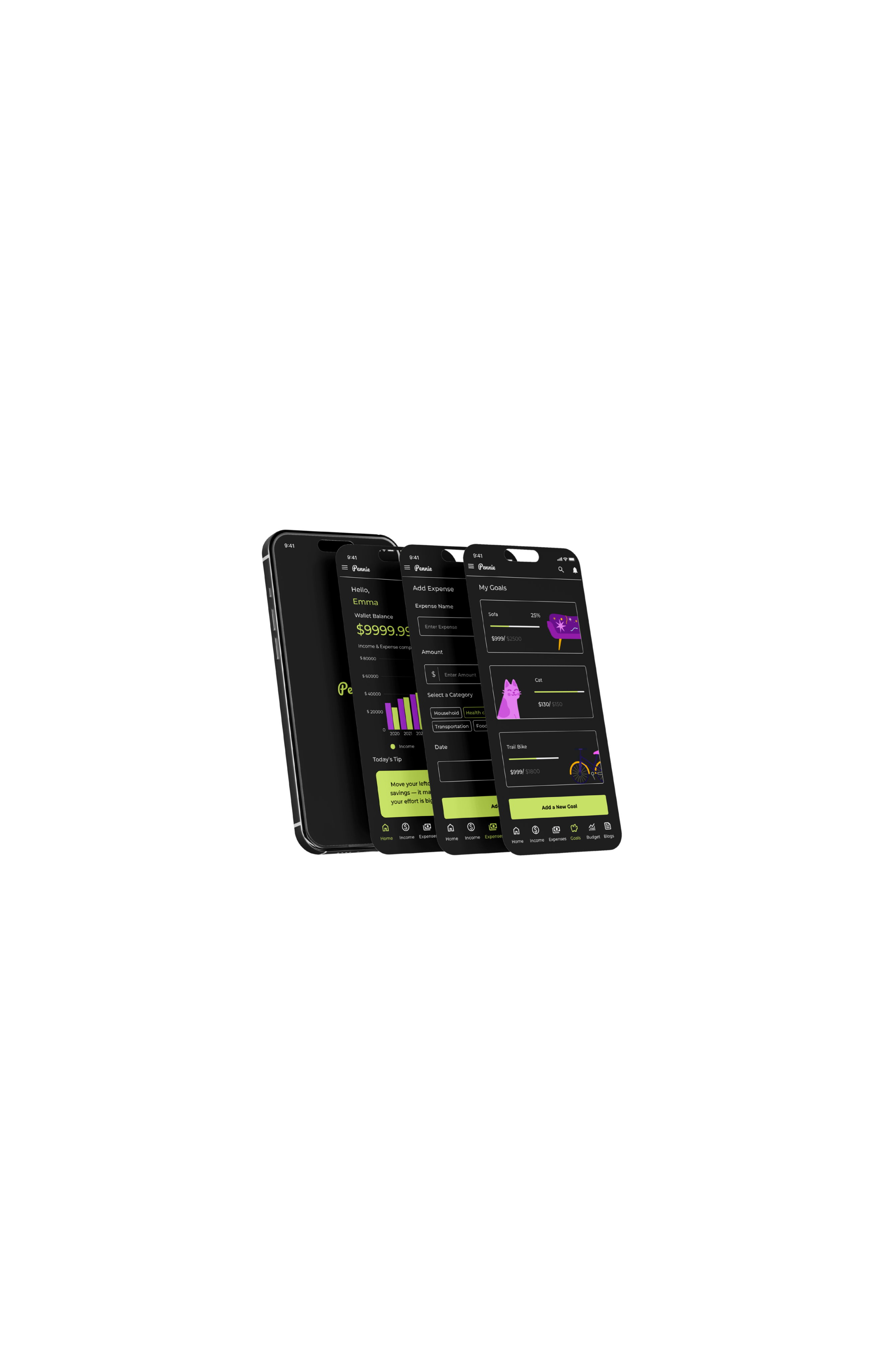
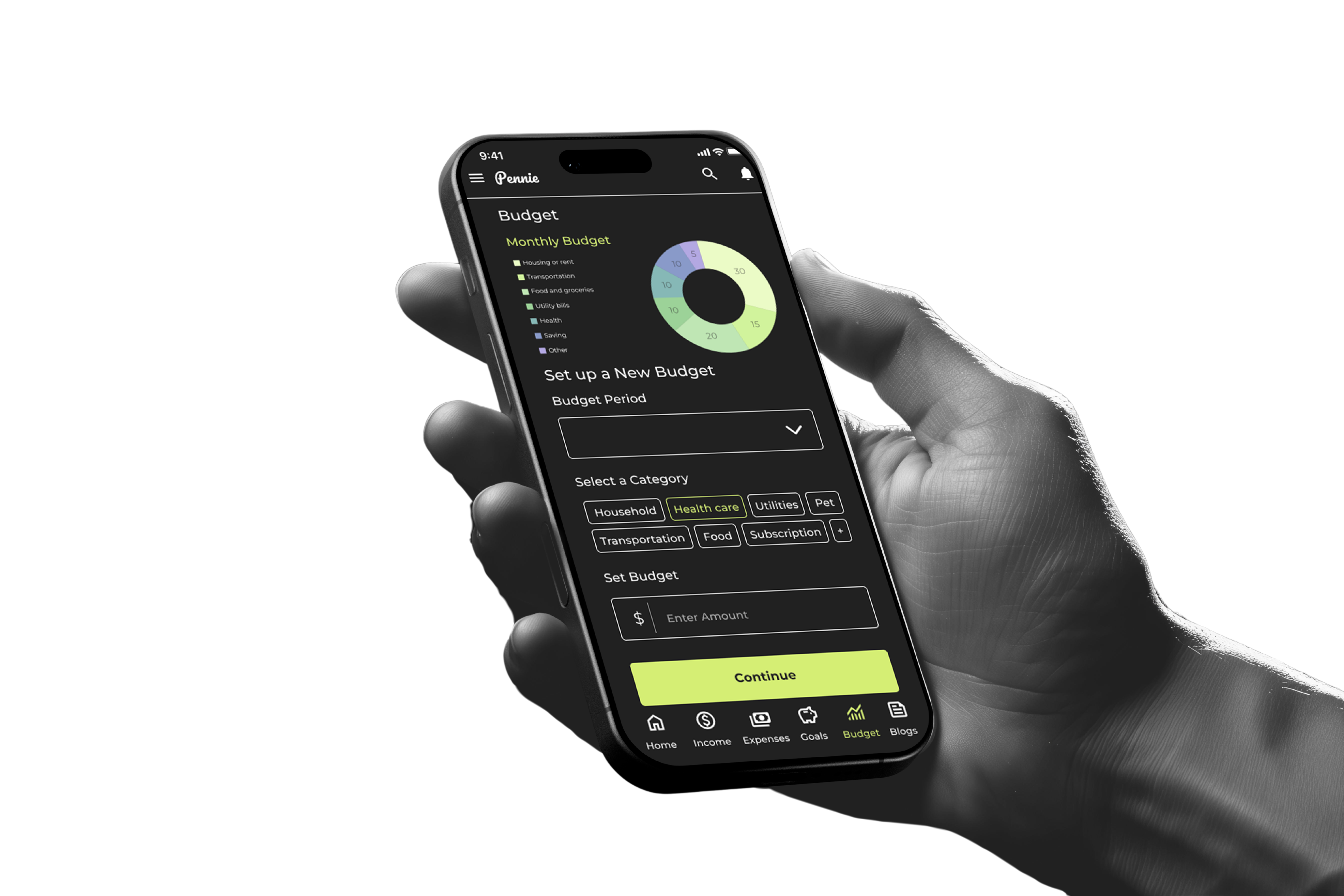
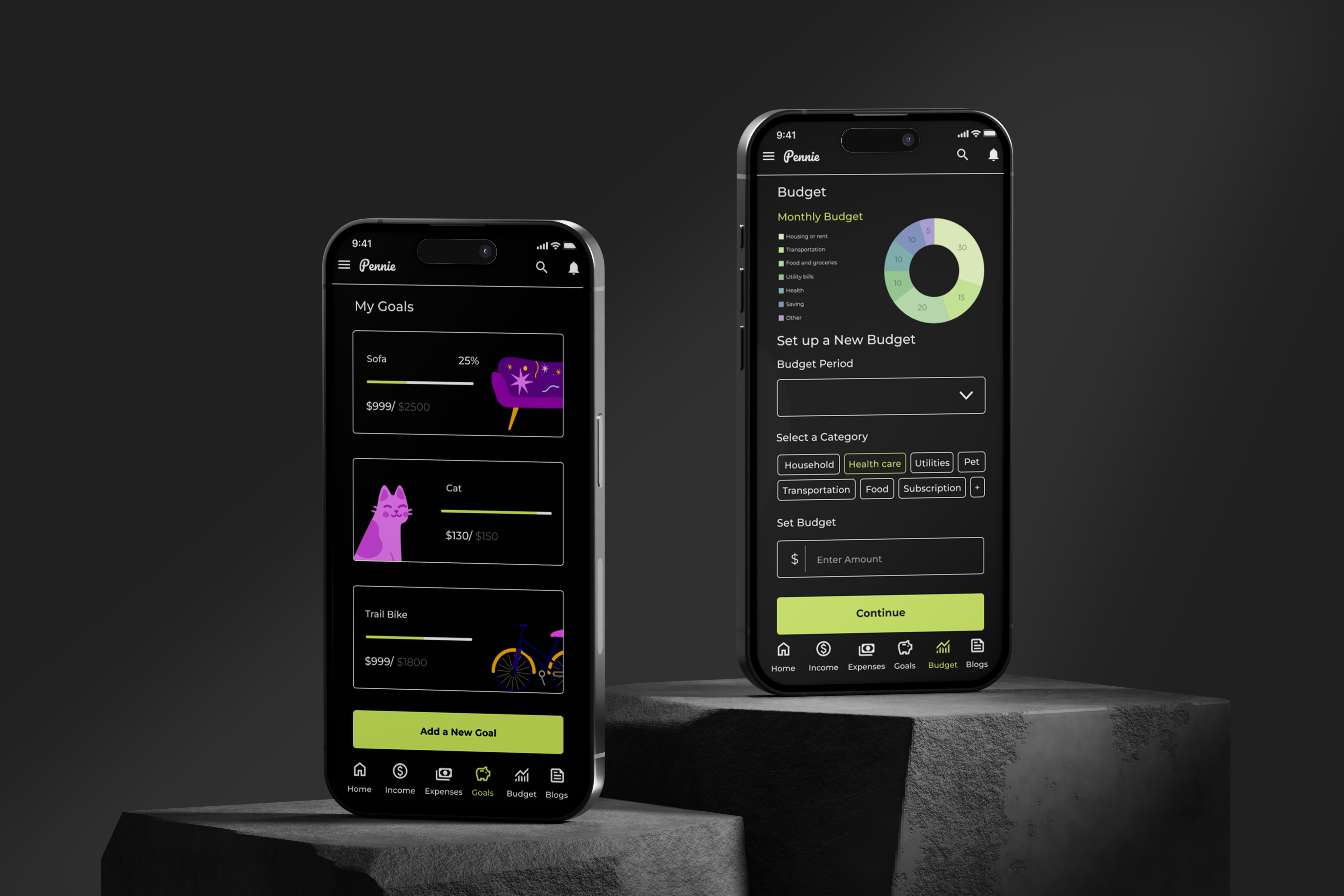
Pennie simplifies budgeting by helping users track income, log expenses, set goals, and review past spending. With flexible tools and motivational content, it makes money management clear, supportive, and easy to stick with.
Competitive Analysis
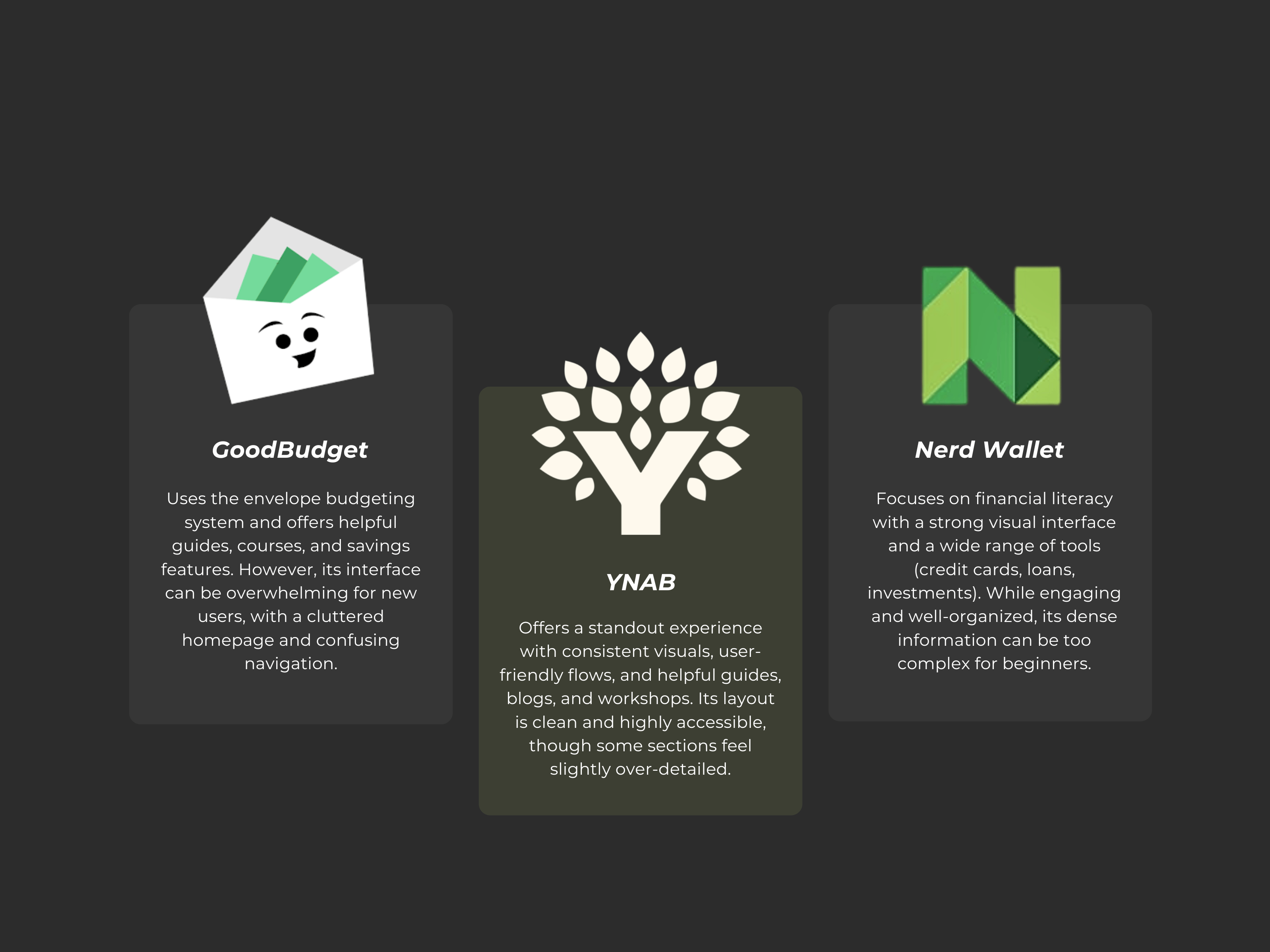
I conducted a competitive audit of four financial apps : Goodbudget, Empower, NerdWallet, and YNAB to understand their strengths, limitations, and user experience strategies. This helped identify opportunities for Pennie to stand out by offering a simpler, more motivating approach to budgeting and saving. View full competitive audit here.
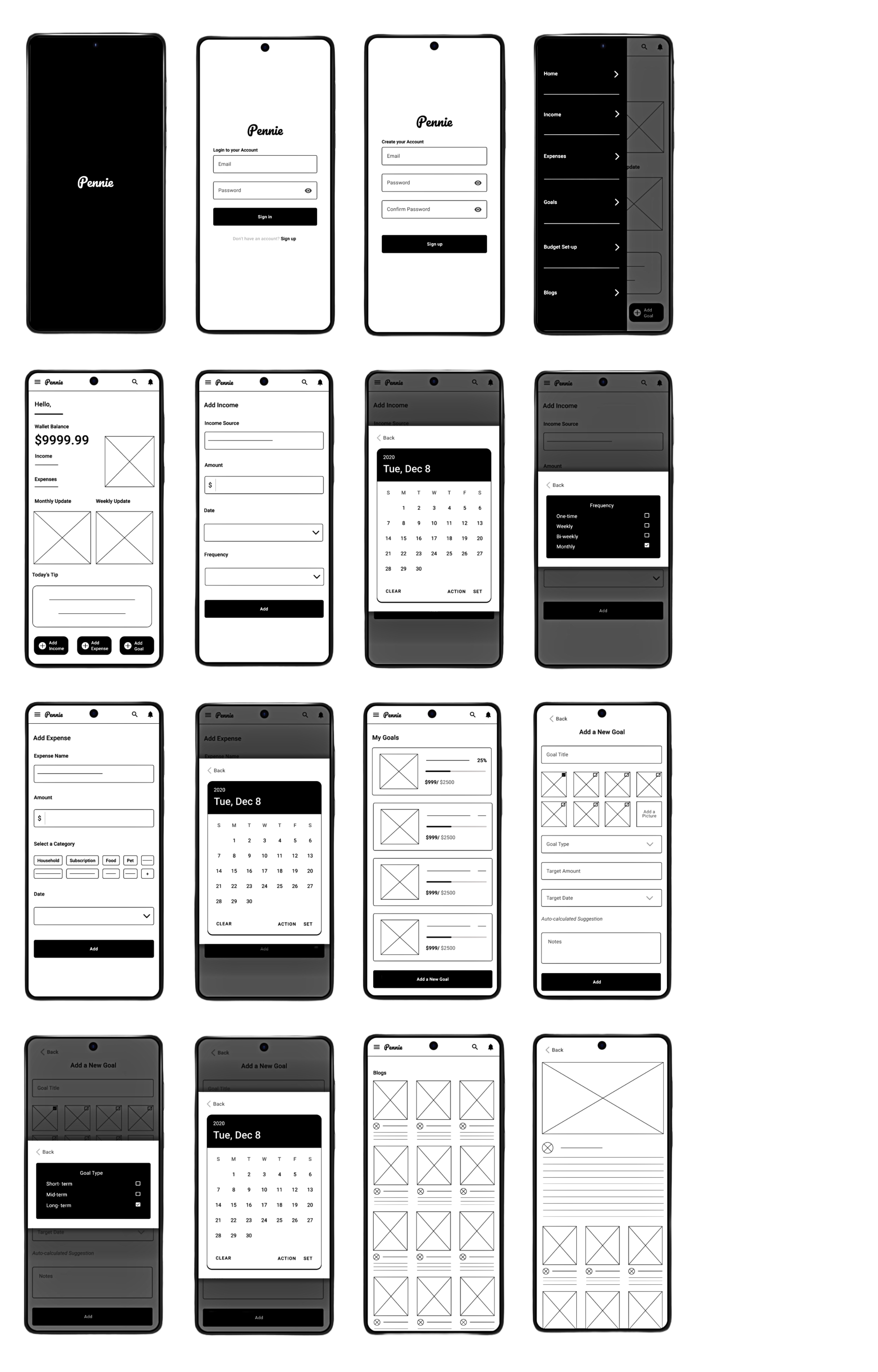
I tested the interactive low-fidelity prototype with 3 participants to evaluate ease of use and navigation.
Insights
• Users found it hard to move between pages since the only option was the top menu or the search option..
• Navigation felt slow and unintuitive.
Improvements
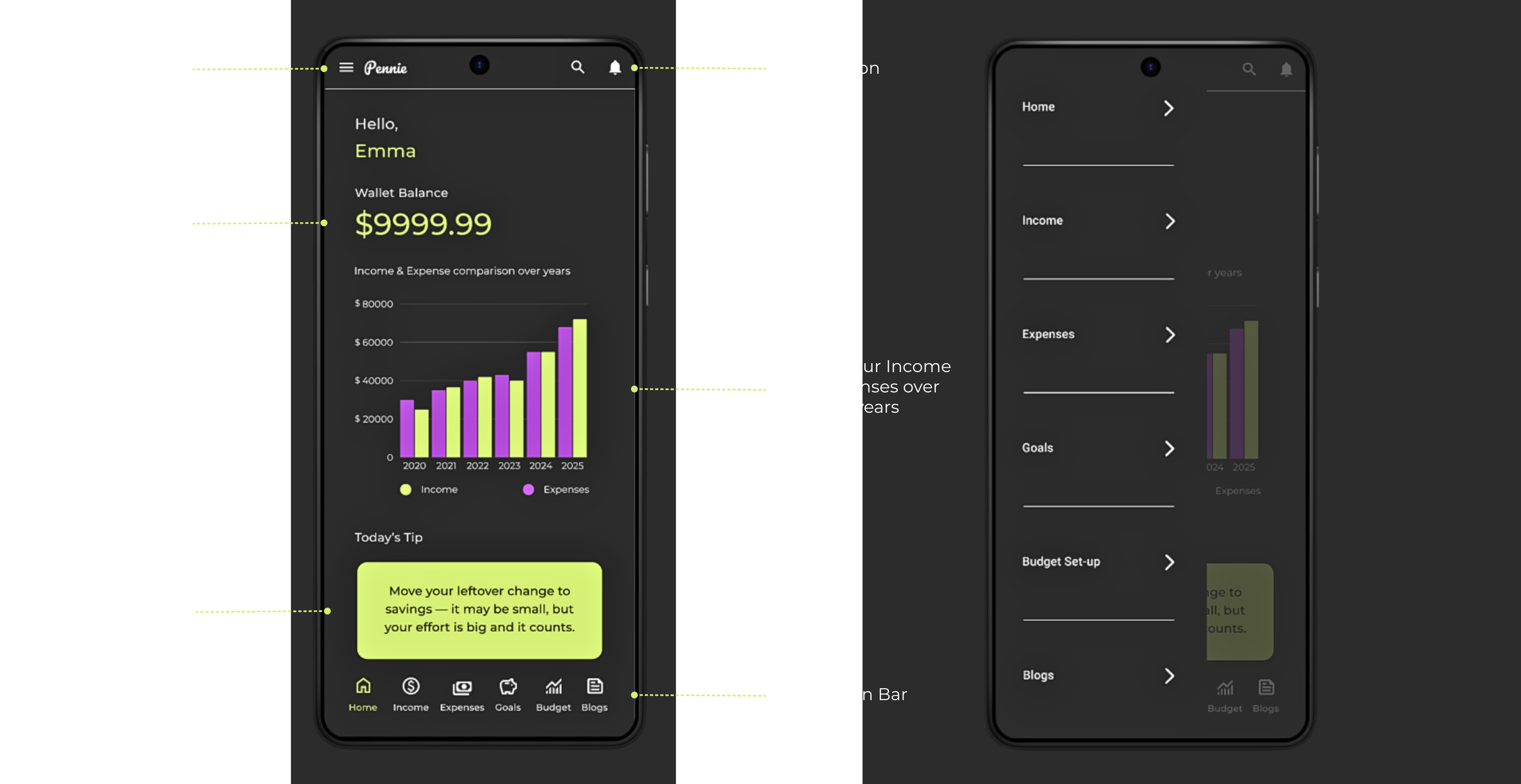
I added a bottom navigation bar with icons, making it easier to switch between pages quickly without relying on the menu.
Typography
UI Kit
Low Fidelity Prototype
Usability Study
High Fidelity Prototype
Usability Study
Insights
Final Reflection
I chose Montserrat for its clean, modern style that improves readability and gives the app a simple, approachable feel—ideal for a stress-free budgeting experience.
Montserrat
Aa1
Aa Bb Cc Dd Ee Ff Gg Hh Ii Jj Kk Ll Mm Nn Oo Pp Qq Rr Ss Tt Uu Vv Ww Xx Yy Zz 1234567890 .,;’!@#$%^&*
Pennie
Pennie
Color Palette
I chose a clean, modern palette to enhance clarity and user engagement. #2C2C2C ensures strong text contrast, #FFFFFF keeps the content readable, #D5EE74 highlights growth and savings, while #B94FE0 adds energy and motivates the user.
User Flow
Logo
Opens Mobile App
Read a Blog
Sign in Screen
Home Screen
Income
Expenses
Goals
Budget Set-up
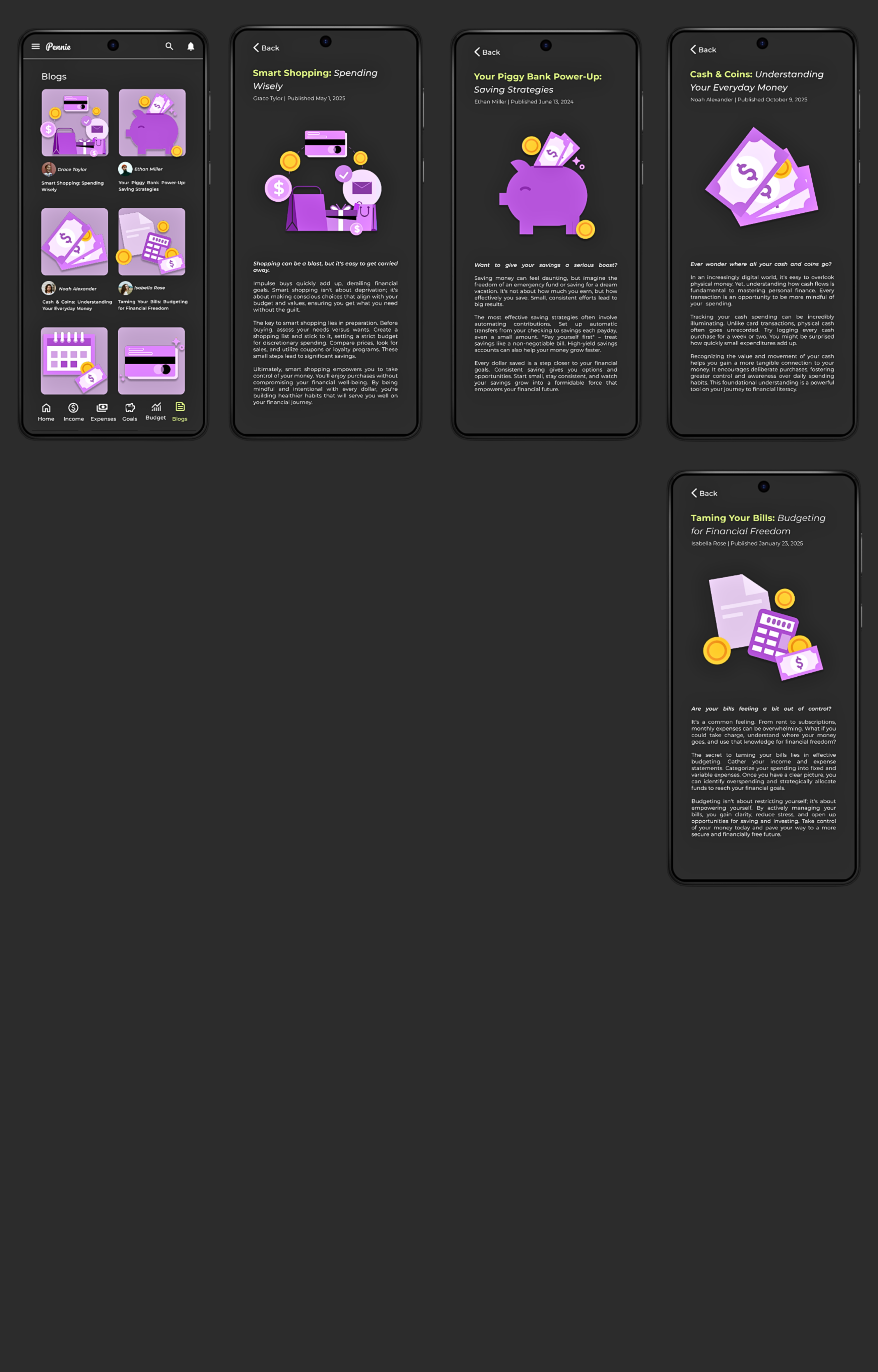
Blogs
Enter Email and Password
Add income Source, Amount, Date and Frequency of Income
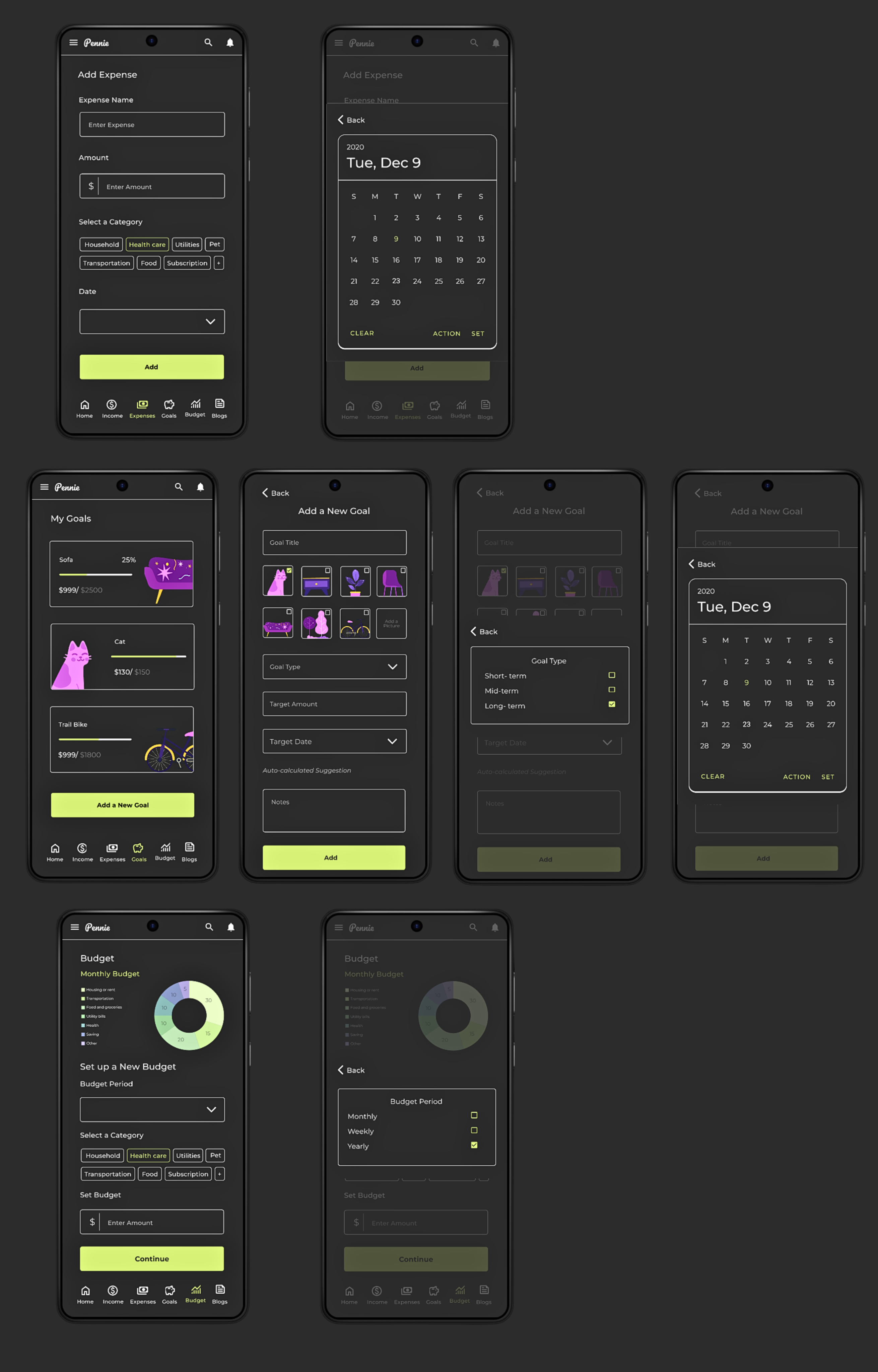
Add Expense Name, Amount, Category and Date
Add Goal Title, its Type, Amount, and Date
Select Budget Period, its Category and Amount
Enter Email, Password and confirm Password
Sign up Screen
Don’t have an Account?
Want to add a new Goal?
#2C2C2C
#FFFFFF
#D5EE74
#B94FE0
Dropdown
Add
Password
Calendar Buttons
Add
Action
set
Clear
Action
set
Clear
Label
Label
Percentage Bar
Icons
Arrows
Selection Button
Stepper States
Home
Home
Income
Income
Expenses
Expenses
Goals
Goals
Budget
Budget
Blogs
Blogs
Label
Label
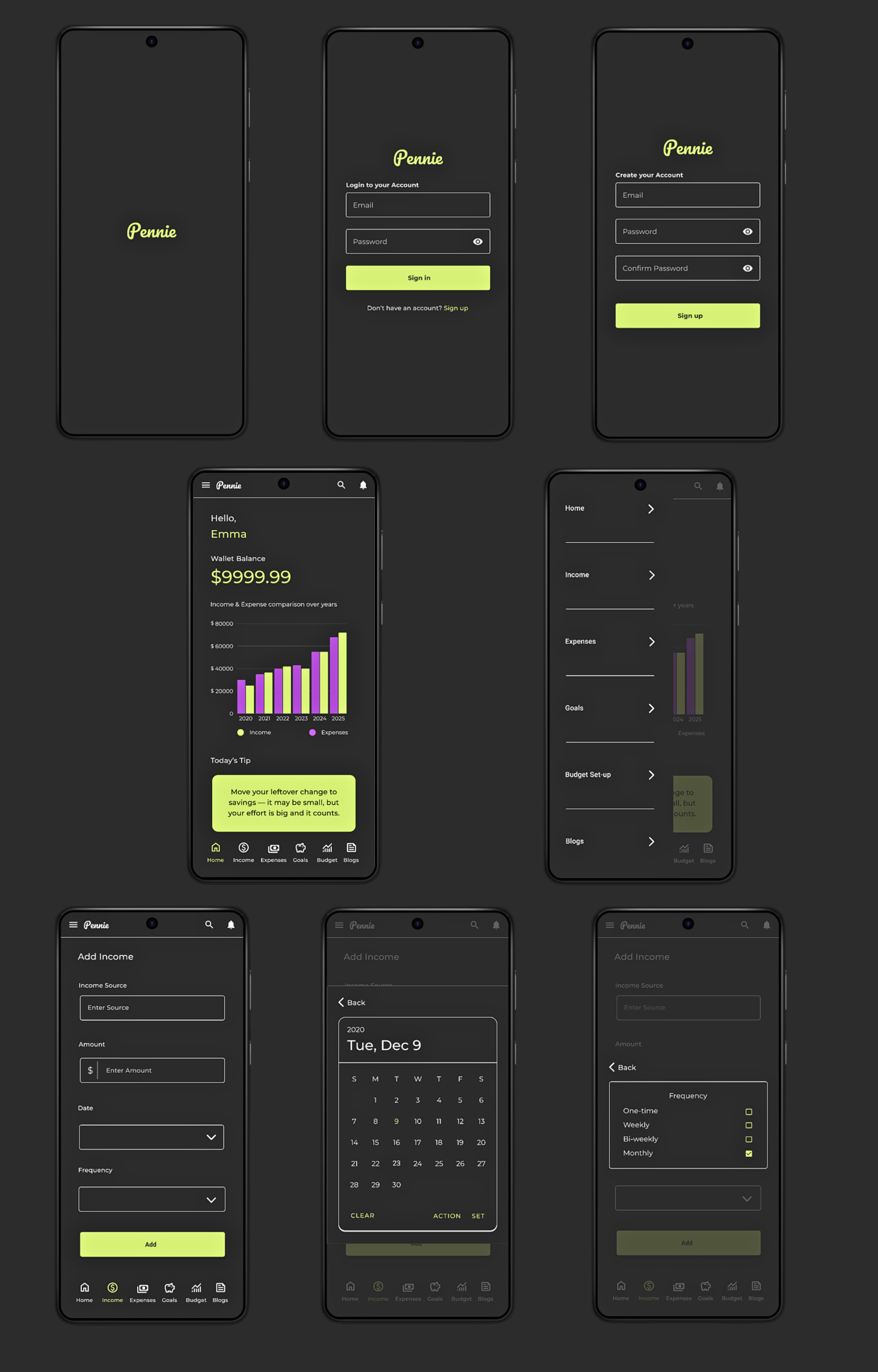
I tested my final prototype with participants to evaluate how user-friendly and accessible the app was for my target audience.
Users found the interface clean and easy to understand.
Most were able to complete tasks like adding expenses, setting budgets, and viewing progress without help.
The new bottom navigation bar improved usability and made switching between pages effortless.
Overall, participants felt the app was helpful and motivating for managing their finances.
Designing Pennie was a fulfilling journey—from research to final design. I gained hands-on experience with new tools and learned the importance of creating solutions that are both practical and emotionally supportive.
Despite some challenges, staying focused helped me grow as a designer. This project reminded me that understanding real user needs is key to building meaningful, relatable experiences.
I tested my final prototype with participants to evaluate how user-friendly and accessible the app was for my target audience.